
Most travel journals die on Day 3. Not from lack of intention, but from friction: the notebook is buried in a bag, the moment has passed, and "I'll catch up later" becomes never.
Digital travel journal apps solve that problem, but only if you pick one built for how you actually travel. Some are made for writers. Some are built around photos and maps. Some track your GPS route automatically. Some exist purely to keep people back home in the loop.
This guide cuts through the options and helps you find your match.
What Is A Travel Journal App (& Why Bother)?
A travel journal app is a digital space where you capture memories, photos, locations, and stories from your trips in one organized place. It is a modern scrapbook that lives on your phone, never gets water-damaged, and is fully searchable.
The case for keeping one goes beyond convenience. The psychologist Daniel Kahneman draws a useful distinction between the trip you experience and the trip you remember. They are not the same thing, and what you write down shapes which one you keep.
Research by James Pennebaker and Emmons and McCullough consistently shows that writing about meaningful experiences improves both memory retention and wellbeing. The average person took around 1,900 photos in 2024, nearly all on a smartphone.
A camera roll is not a journal. It is a pile of evidence that something happened. A good travel journal app gives those photos a structure, a story, and a place on a map.
Key Features To Look For In A Travel Journal App
Before jumping into specific recommendations, it helps to know what separates a great travel journal app from one that will collect digital dust. Here is the framework for evaluating any app you consider.
| Feature | Why It Matters |
|---|---|
| Offline access | Mountain huts, long-haul flights, and remote islands have no Wi-Fi. A solid app should let you write, add photos, and review entries with zero signal. Check this before you commit. |
| Photo and location integration | The best apps let you pin photos to real locations and watch a living map of your trip take shape. If you already save spots in Google Maps, you will immediately understand why this matters. |
| Ease of daily use | Friction kills habits. If getting to a new entry takes five taps, you will stop by Day 3. The best apps get you from "I need to capture this" to "done" in under a minute. |
| Privacy and data control | Check whether entries are private by default and where your data is stored. Several once-popular travel journal apps (Esplorio, TravelPod, Bonjournal) have shut down over the years, taking user data with them. |
| Sharing and collaboration | Solo travelers may not care about this at all. Families and group travelers often consider it essential. Some apps let everyone on a trip contribute photos and notes to a shared journal. |
| Export and longevity | Can you get your memories out if you move on from the app? PDF export and photo downloads are worth verifying before you invest years of memories into any platform. |
Types of Travel Journal Apps: Which One Fits You?
Most travel journal app roundups treat every traveler the same. Here is a segmentation that actually helps you self-identify before you look at specific apps.
- The visual storyteller thinks in photos and wants an app that builds a beautiful, map-based visual record of each trip. Layout and design matter. The journal should reflect the places visited, not just catalog them.
- The reflective writer journals at home already and simply has more to write about when traveling. Long-form text support, clean formatting, writing prompts, and an interface that steps out of the way are the priorities here. Stats and maps are secondary.
- The social sharer travels partly to bring people along, even from a distance. Real-time updates to family and friends, shared albums for group trips, and the ability to let loved ones comment and react are what keep this traveler engaged with a journaling app.
- The memory tracker loves data about their own life. Country counts, miles traveled, days on the road, visual progress maps, and year-in-review summaries are the features that make journaling feel rewarding rather than obligatory.
Top Travel Journal Apps Worth Considering
Here are seven apps worth considering, each suited to a different type of traveler. This is not a definitive ranking. It is a matching exercise. Read each one with your traveler type from the previous section in mind.
Wandrly Journal
Best for travelers who want a beautiful, private travel journal

Wandrly Journal is a web-based travel journal that lets you document completed trips through a rich, multi-theme diary format. Rather than tracking your location in real time, Wandrly reads the GPS coordinates and timestamps embedded in your photos to automatically group them into dated, location-tagged diary entries, turning a folder of phone photos into a structured trip journal in seconds.

Diaries are shareable via a public link, making it easy to share trips with friends and family without requiring them to create an account. You also have full control over the theme, look, and feel of your shared travel journals.
Key features:
- Smart Photo Import reads EXIF GPS and date data to auto-group photos into day-by-day diary entries
- Interactive world map showing all trips pinned on a globe
- Calendar view to browse trips by date
- Four distinct themes: Scrapbook (handwritten polaroid aesthetic), Modern (clean editorial grid), Editorial (magazine layout), and Timeline (chronological journey)
- Photo and video support with drag-to-reorder within entries
- Public shareable diary links; no account needed to view
- Trip cover photo, description, and customizable background color
Limitations:
- No real-time GPS tracking; location data depends entirely on photo EXIF metadata or entering dates in manually
- Web only (no dedicated iOS or Android app yet)
- Single-author trips (no collaborative journaling or co-contributor support)
Pricing: Currently free.
Day One
Best for the reflective writer

Day One is the gold standard for serious journalers, and its travel use case is compelling. It supports long-form text, multiple separate journals, tags, end-to-end encryption, and automatic metadata like location, weather, and music. A newer AI tier adds daily writing prompts and entry summaries.
Key features:
- Long-form writing with multiple separate journals and tags
- End-to-end encryption for full privacy
- Automatic metadata capture (location, weather, music, step count)
- Audio recording with transcription (Silver and above)
- AI writing prompts and entry summaries (Gold tier)
- Printed hardcover and paperback book service
- Available on iOS, Android, Mac, Windows, and web
Limitations:
- No GPS auto-tracking or map-based route logging
- No travel-specific features (trip grouping, route maps)
- Sync occasionally fails across devices
Pricing: Basic free (1 photo per entry, 1 device); Silver $49.99/yr (unlimited photos, multi-device sync, audio); Gold $74.99/yr (adds AI features).
Polarsteps
Best for route-focused travelers who love GPS
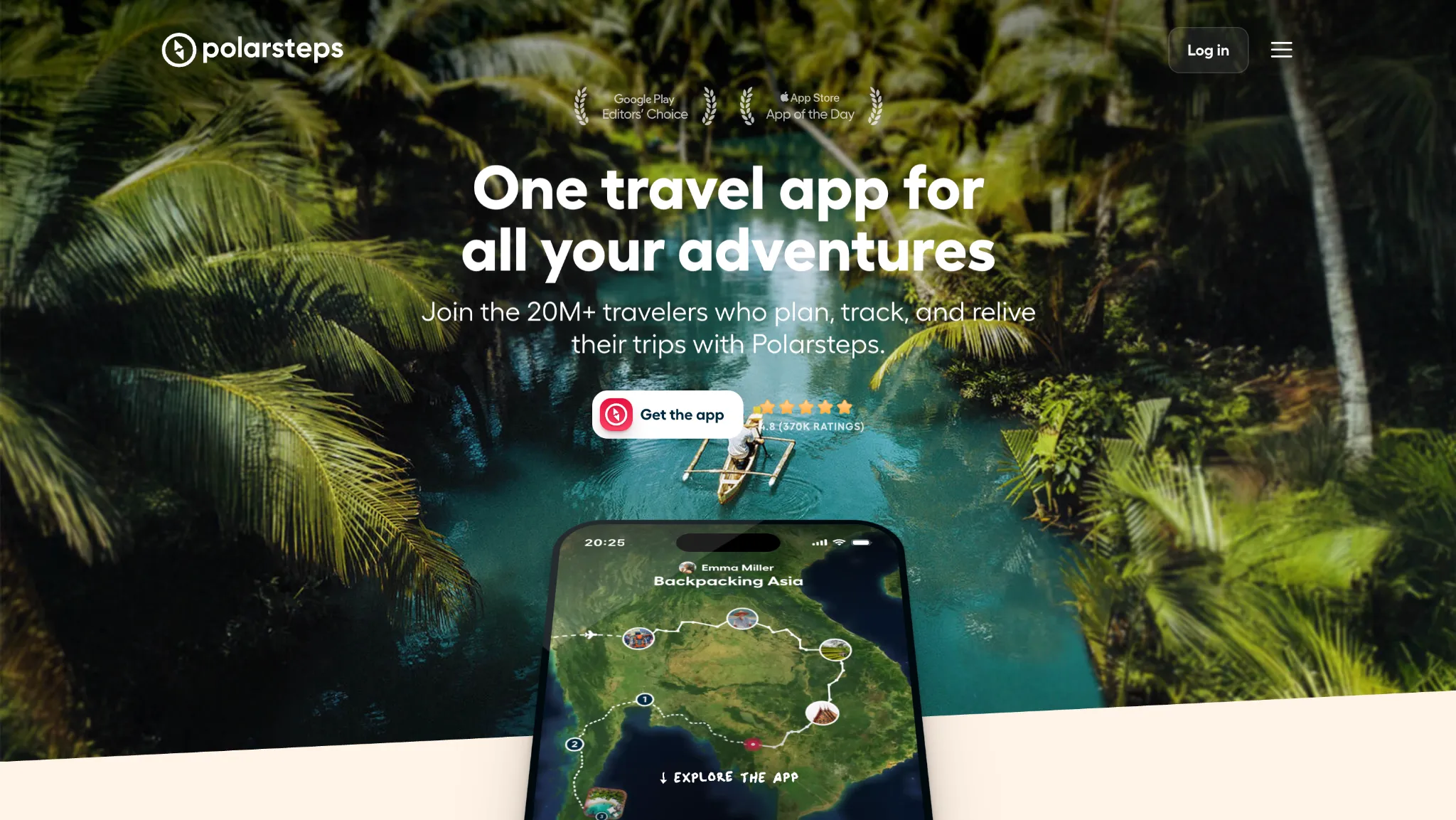
Polarsteps automatically tracks your GPS route in the background as you travel, drawing your real path on an animated world map. With over 20 million travelers and 20 billion kilometers logged in 2024, it is the most established GPS-first travel journal on the market. The app is free, with revenue coming from optional printed Travel Books.
Key features:
- Automatic background GPS route tracking with animated world map
- Works offline with auto-sync when reconnected
- Photo and text entries tied to real locations
- 250+ curated destination guides
- AI itinerary builder and auto-generated trip recap videos
- Optional printed Travel Books with worldwide shipping
Limitations:
- No shared journaling (only one account can contribute to a trip)
- Continuous GPS tracking accelerates battery drain
- Limited photo book layout customization; videos are excluded from books
- No desktop app (iOS and Android only)
- Printed book shipping can be slow outside the EU and US
Pricing: Free. Optional printed Travel Books from €45.
FindPenguins
Best for social travelers who want GPS tracking and a public profile

FindPenguins has automatic GPS route tracking, a social feed of "footprints" (location-tagged posts with photos, videos, and stories), and a 3D flyover video generator that turns your recorded route into a shareable clip in seconds. The app went fully free in September 2024, dropping its premium tier entirely.
Key features:
- Automatic GPS route tracking (battery-friendly, works offline, detects flights)
- "Footprints", location-tagged posts with photos, videos, and travel stories
- 3D flyover video generation from recorded routes
- Group tracking with multi-contributor trips
- Archive of 10 million+ travel experiences for inspiration and planning
- Social following and public travel profiles
- Optional printed photo books
- Available on iOS, Android, and web
Limitations:
- Profiles are either fully public or fully private (no selective "friends only" sharing)
- Social-first design may feel like overkill for travelers who want a private diary
- Photo books primarily available to European users
- Limited layout customization compared to more design-forward apps
Pricing: Free since September 2024. No subscription or premium tier. Printed photo books available for purchase.
Journi Blog
Best for travelers who want a photo diary they can print
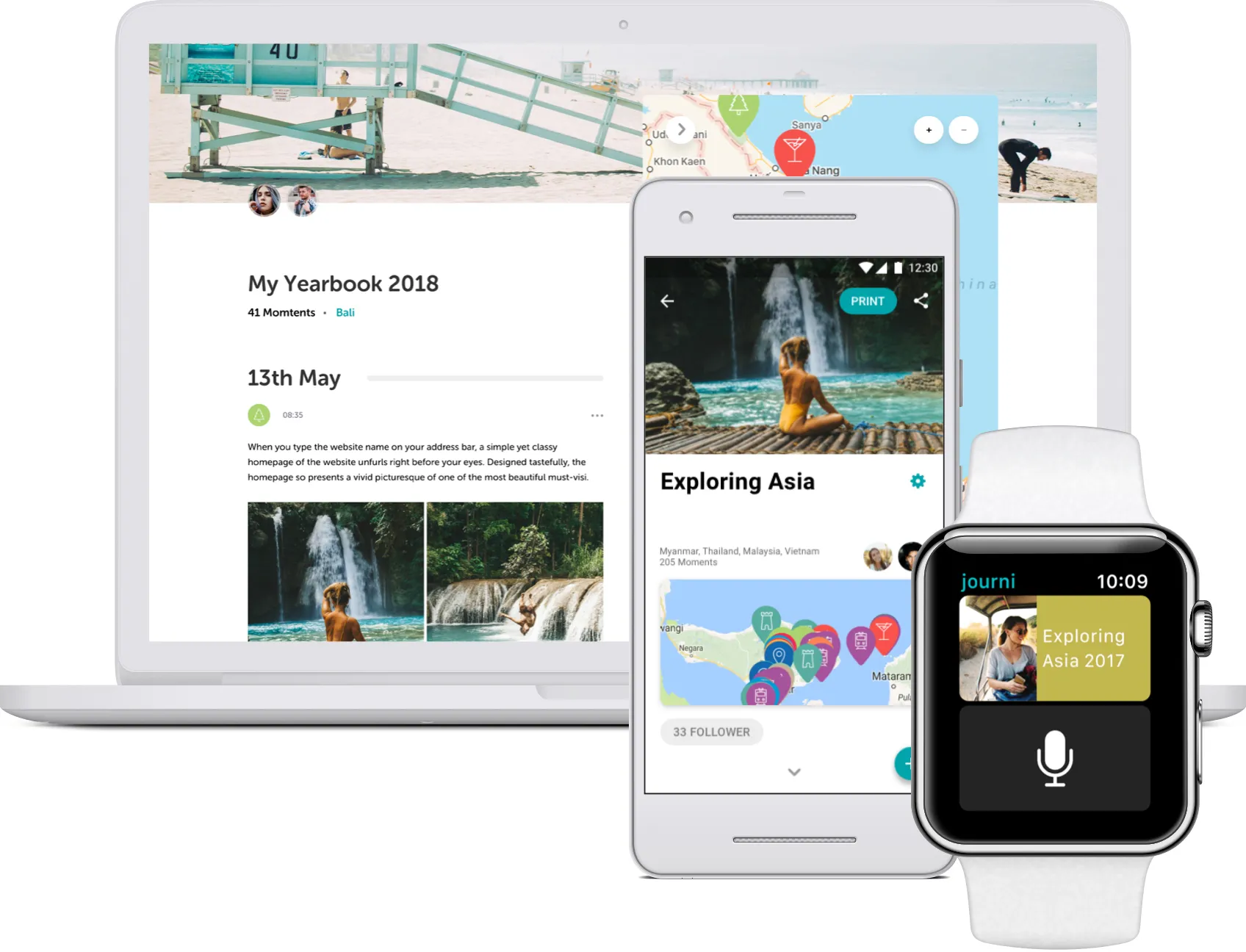
Journi Blog automatically groups your photos by date and location into a visual diary with minimal effort. Its standout feature is a seamless photo book pipeline: Journi's AI can arrange up to 1,200 photos into a printed book in roughly five minutes.
Key features:
- Automatic photo timelines grouped by date and location
- AI-powered photo book layout (up to 1,200 photos in minutes)
- 600+ stickers, weather tags, and flight info overlays
- Multi-contributor trips with comments
- Printed photo books shipped worldwide
Limitations:
- 10-photo cap per entry on the free tier
- Offline backup and cloud sync require a paid plan
- No PDF export for the journal itself (only the printed book)
- Some user complaints about photo book quality (caption placement, image rendering)
- Pricing displayed in EUR, which can be inconvenient for non-European users
Pricing: Free tier (10 photos per entry, limited backup); Premium from €53.99/yr (unlimited photos, offline sync, cloud backup). Printed photo books from €22.99.
Traverse
Best for travelers who want a free stats-driven journal
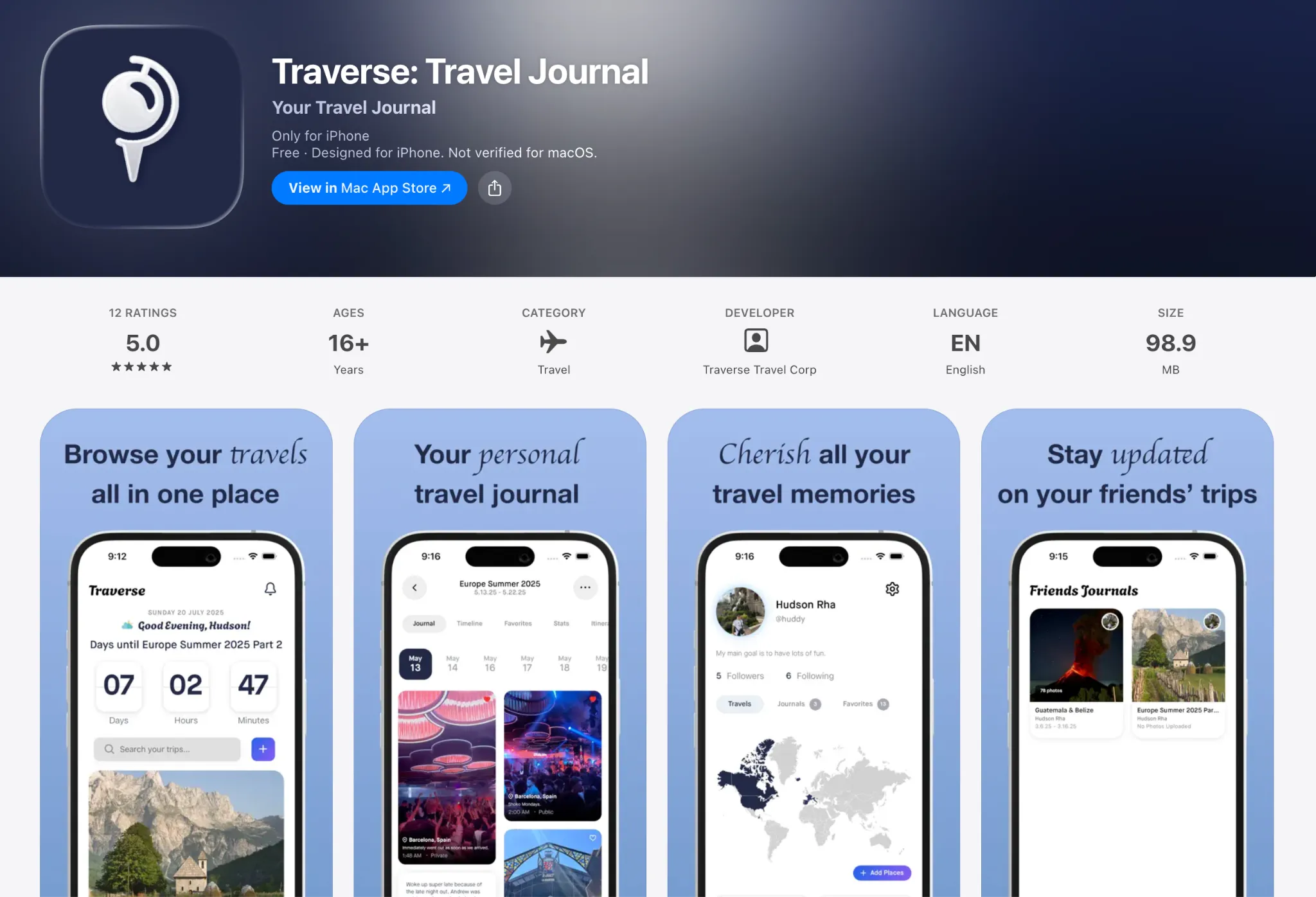
Traverse is a free, no-ads, no-subscription iOS app built around travel stats and milestones. It tracks miles, countries, and days you’ve traveled on an interactive world map. It also lets you create shareable "Storyboards" from trip highlights.
Key features:
- Travel stats dashboard (miles, countries, days, year-over-year)
- Interactive world map with auto-pinned cities and countries
- "Storyboards" for sharing trip highlights
- Real-time collaboration on shared journals
- Offline access with auto-sync, Face/Touch ID lock
- PDF export
Limitations:
- iOS only (no Android, web, or desktop app)
- Small user base and limited independent reviews
- Early-stage app with less reliability than established platforms
- No GPS auto-tracking, audio, or video support
Pricing: Free. No ads, no subscription, no in-app purchases.
Tripcast
Best for sharing your journey in real time

Tripcast is a living travel journal for your friends back home; a real-time feed of photos, videos, and location updates that invited followers can view, comment on, and react to as your trip unfolds. For group trips, every contributor adds to the same shared album, with photos automatically geotagged to a map.
Key features:
- Real-time photo and video updates, viewable by invited friends and family
- Auto-geotagging with map-based browse view
- Multi-contributor shared albums for group trips
- Comments, likes, and reactions from followers
- Bulk photo download and printed photo book option
Limitations:
- No offline mode
- Photos cannot be reordered after upload
- No PDF export (only printed photo books)
Pricing: Free core; Tripcast Friend $49.99/yr; Tripcast Pro $99.99/yr. Printed photo books available for purchase.
TripMemo
Best for travelers who want a polaroid-style trip book

TripMemo organizes your trip photos into day-by-day pages called TripBooks, each built around a polaroid aesthetic with captions and an interactive map of pinned destinations. It works offline, is private by default, and supports real-time collaboration, so travel companions can contribute photos and notes to the same book.
Key features:
- Day-by-day TripBook format with polaroid-style photo layouts
- Interactive trip map with pinned destinations
- Real-time collaboration (viewer or contributor access via invite link)
- Offline use with auto-sync when reconnected
- Private by default; shareable via invite link
Limitations:
- No GPS auto-tracking or route logging
- No printed book option
- Relatively new app with a small user base
- No PDF export
Pricing: Free. No subscriptions, no paywalls.
Journalfy
Best for travelers who also keep a physical journal

Journalfy is a travel journal app with a genuinely unique feature: built-in QR codes in its companion physical journal that, when scanned, open a linked digital entry where you can photograph your handwritten pages and attach photos. It works just as well as a standalone digital journal, with six guided prompts per entry, a freehand drawing tool, and shareable links that anyone can view without an account.
Key features:
- Six guided prompts per entry (or open free-write mode)
- QR code scanning to digitize pages from the physical Journalfy journal
- Freehand drawing and illustration tool
- Shareable entry and trip links (no account needed to view)
- PDF export for text-based entries
- Calendar view, offline use, privacy toggle
- Available on iOS and Android
Limitations:
- No GPS auto-tracking or map view
- Free plan capped at 5 trips, 10 entries, and 10 photos per entry
- Pricing listed in AUD, which may be confusing for non-Australian users
- No printed photo book service
Pricing: Free plan (5 trips, 10 entries, 10 photos per entry); unlimited plan AUD $2.99/month or AUD $27.99/year.
Airbum
Best for collecting everyone's photos from a group trip

Airbum sits at the edge of the travel journal category. It’s really a collaborative photo-sharing app, but it does one thing exceptionally well: gathering every photo from a group trip into one place, fast. You generate a QR code, anyone scans it to join the album, and photos start flowing in without requiring an account or app download.
Key features:
- QR code album joining (no app download required for contributors)
- Shared albums and folders with photos, videos, and notes
- In-album chat and reactions
- Shared expense tracking alongside photos
- Available on iOS, Android, and web
Limitations:
- Not a personal journal (no private entries, map view, geotagging, or GPS)
- No PDF or individual diary export
- No offline mode
- Paid tier features are unclear
Pricing: Free. No published paid tier.
Tips For Actually Sticking To Your Travel Journal
Even the best travel journal app is useless if you open it twice and then abandon it. The habit of journaling is the hard part. Here’s how to make the practice stick:
1. Adopt the five-minute entry rule
Short and consistent beats long and sporadic, every time.
You do not need to produce literary travel writing about every meal. A photo, a location pin, and three quick, honest sentences are more than enough. Research on journaling consistently shows that even brief, low-pressure entries produce the memory-retention benefits.
The goal is to capture the moment before it fades, not to write content.
2. Use your camera roll as a prompt
At the end of each day, scroll through what you shot. Your photos will do most of the memory-triggering for you. All you have to do is attach a few lines to the ones that matter most.
This eliminates the "I do not know where to start" problem almost instantly, and it mirrors how the “savoring” research by Bryant and Veroff (2007) suggests we mentally revisit experiences to extend their positive impact.
3. Journal during natural pauses, not at the end of the day
Waiting until you collapse into bed is a reliable recipe for skipped entries.
Open your journal app during natural downtime: waiting for your coffee to arrive, riding a bus between cities, or sitting at an airport gate. Small pockets of time used consistently add up to a detailed record.
4. Sync journaling to something you already do
Habit stacking works. If you always have a morning coffee at your rental, that is your journaling window.
If you always do a debrief with a travel companion before sleep, that is the moment to add your entry. Attaching the new habit to an existing routine dramatically improves follow-through.
5. Lower the bar on quality
The single biggest reason people abandon travel journals is that they start treating each entry like a performance. Write messily. Be honest. Include the things that went wrong, the places that disappointed you, the moments of confusion.
Authenticity is what makes a journal worth re-reading five years later. A polished catalog of highlights is far less interesting than the real context of a trip.
Your Memories Are Worth Keeping
There is no single best travel journal app. There is only the best one for you, shaped by whether you are drawn to deep reflection, visual storytelling, tracking your global footprint, or sharing your journey with the people you love.
If you’re unsure where you land, Wandrly Journal is a natural starting point that covers all four. Wandrly Journal is a web-based travel diary that reads GPS coordinates and timestamps embedded in your photos and automatically groups them into dated, location-tagged daily entries.
From there, you can choose from four distinct themes (Scrapbook, Modern, Editorial, or Timeline), reorder photos, and share the finished diary via a public link that anyone can view without creating an account. Try it for free here!